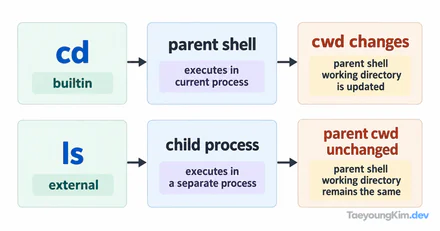
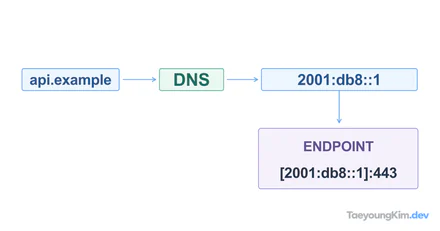
ls clearly shows a directory named reports, yet cd reports says Permission denied. If you applied chmod 644 to the directory, you may have permission to read its names but not permission to enter it.
Why does cd fail on a readable directory?
For a regular file, r permits reading its contents and x permits execution. The meaning differs for directories: r permits listing names inside, while x permits traversing the directory and accessing paths within it. w relates to creating and removing entries, but such operations normally need x as well.
Mode 644 gives the owner rw-, so an ordinary owner cannot cd into reports/. Adding only owner execute/traverse permission with u+x produces 744 and grants the owner rwx. The diagram assumes this permission is the only problem; check parent paths and other access controls separately.
Mode 644 gives the owner rw- and the group and others r--. Nobody has x. Run the following exercise only in a reports directory you just created for testing.
mkdir reports
touch reports/today.txt
chmod 644 reports

ls -ld reports
ls reports
cd reports
When run as the owner, permissions appear as drw-r--r--, and ls reports can display the name today.txt. But cd reports fails with Permission denied. Seeing a filename and traversing its path are different operations. In this state, cat reports/today.txt also cannot traverse the directory to reach the file.
What changes after chmod u+x?
If you are the owner and need to enter the directory, add only the required permission.
chmod u+x reports
ls -ld reports
cd reports
pwd
The mode is now drwxr--r--, and cd succeeds. u+x grants execute permission only to the owner. Setting chmod 755 reports instead would also give the group and others x, widening access when all you wanted was to restore your own.
Here, x does not mean running the directory as a program. It means being able to traverse paths inside it. Conversely, with x but no r, you may reach an entry whose name you already know without being able to list names freely.
What if cd still fails when the directory has x?
Inspect parent directories, not only the destination. cd parent/reports also needs x on parent. Even if reports is 755, you cannot descend through a parent directory lacking traverse permission.
ls -ld parent parent/reports
id
Check each directory's mode, owner, and group, then add only the missing x for the user who needs access. chmod 777 without finding the cause hides the problem while broadening access. If ordinary permissions look correct but access is still denied, investigate additional access controls.
Key takeaways
For a directory, r permits listing names and x permits traversing internal paths. Applying chmod 644 removes x, so cd may fail even when a name appears in ls. Use ls -ld to inspect the destination and its parents, then restore x only for the users who need it.