You are cleaning up a CloudFront distribution, but Delete is unavailable. The missing step may be disabling the distribution first. CloudFront can serve requests from many edge locations, so removing a distribution is more than deleting one row from a list.
Why can a distribution not be deleted immediately?
An enabled distribution can still handle requests. CloudFront requires it to be disabled before deletion. Before selecting Delete, clean up its service connections and wait for the disabled state to propagate. The AWS guide to deleting a distribution confirms this sequence and warns that a deleted distribution cannot be recovered.
Suppose a test site, www.example.test, points to a distribution. The task is not simply clicking Delete twice.
| Stage | Distribution state | Check first |
|---|---|---|
| In use | Enabled | Connected domain and origin |
| Cleanup | Disable requested; change propagating | Destination and status of new requests |
| Ready for removal | Disabled | Identify the distribution again |
| After deletion | Absent | References, settings, and billing items |
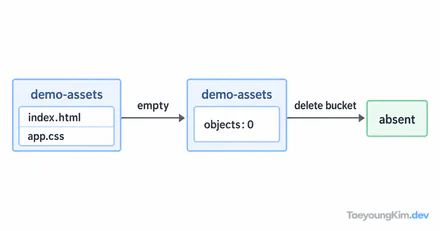
The diagram has two arrows because disabling and deletion are distinct operations. Disabling changes whether the distribution serves traffic; deletion removes its configuration.
First disable the active distribution and verify that the change has propagated. A disabled distribution still exists; after deletion, the distribution itself is gone.
What if deletion is still unavailable after disabling?
Refresh the distribution list and inspect the target's state. A recent disable request may still be propagating; do not select another distribution merely because Delete is unavailable. Confirm the distribution ID and deletion permission. Disabling and deletion are separate operations and may require different permissions. If the distribution is subscribed to a flat-rate pricing plan, you may have to cancel that plan and wait until the current billing cycle ends before deletion. Read the error message for a pricing-plan restriction.
If a domain still points to the distribution, disabling it can break user requests. Identify the DNS and origin connections first, prepare an alternative path if necessary, and move traffic before disabling. Do not assume a distribution is only for testing without checking whether multiple environments share it.
Distinguish deletion from a cache problem
Seeing an old file is not a reason to delete a distribution. This procedure is for removing a distribution no longer in use. For a cache update problem, keep the distribution and inspect the origin file, request path, and cache policy. First decide whether the target is one file or the entire distribution.
Before deletion, record the distribution ID, connected domains, origin, alternative path, and what cannot be undone.
Key takeaways
To delete a CloudFront distribution, disable it first, wait for the change to propagate, and recheck the target distribution. Disabling a distribution that still serves a domain can interrupt requests. Treat a cache problem separately from removing the distribution.