An API call seems to hang, or the response says 200 but JSON parsing fails. Calling both situations “a request failure” hides where to investigate. Treat connection and reading, HTTP status, and response format as separate stages.
Why check timeout and status separately?
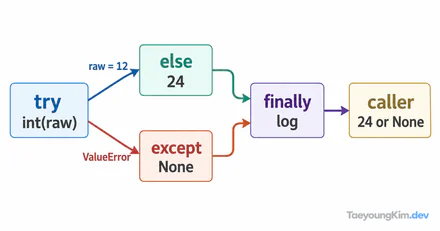
The diagram's arrows show the order of checks. A 404 makes raise_for_status() raise HTTPError, so this function does not proceed to JSON parsing. Even a 200 response can raise a JSON decoding error if its body is HTML.
requests.get() returns a response object; without an explicit timeout, it does not guarantee completion within the time you want. This function limits connection and socket read waits, checks the HTTP status, and then parses JSON:
import requests

def fetch_json(url: str):
    response = requests.get(url, timeout=(3, 5))
    response.raise_for_status()
    return response.json()
(3, 5) means a three-second connect timeout and five-second read timeout, not an absolute eight-second deadline for the whole operation. The read timeout is not a maximum duration for the entire download either. The Requests quickstart documents these distinct timeout, status, and parsing failures.
Does 200 guarantee valid JSON?
No. A server can send an HTML error page with 200 OK. raise_for_status() checks unsuccessful HTTP status codes; it does not validate the body format. Calling response.json() on non-JSON content raises a decoding error.
| Observation | Stage to investigate | Check first |
|---|---|---|
| Timeout before a response | Connection or reading | Destination, network, timeout settings |
404 or 500 | HTTP status | URL, request values, server state |
200 but JSON decode fails | Response format | Content-Type and a small body sample |
If an API expected to return JSON instead sends Content-Type: text/html, check whether you reached a wrong route or an intermediate sign-in page before changing the parser. A JSON content type alone does not prove the body is valid, so still test the parse result.
How should you reproduce and debug failures?
Use separate test cases for successful JSON, a 404, a 200 HTML body, and a read timeout. A success-only test will not catch a missing raise_for_status() or a decode failure. Avoid swallowing every exception into None; the caller should be able to tell which stage failed.
Log only the safe API path, status code, and exception type needed for diagnosis. Full request headers, authentication tokens, and entire response bodies may contain sensitive information. If a server lets users choose a URL, restrict allowed destinations to avoid making requests to internal addresses on their behalf.
Which failures should be retried?
A limited retry can help with a temporary connection problem. Repeating a wrong URL or authentication failure only adds load. A read timeout may occur after the server processed a request but before its response arrived, so consider duplicate effects before retrying a write operation. Do not copy the retry policy for this GET example directly onto a data-changing request.
Key takeaways
Check a Requests call in order: timeout → HTTP status → response format and JSON parse. 200 does not guarantee valid JSON, and a timeout is not an absolute deadline for the full job. Test failure types separately and account for sensitive logs and duplicate writes when retrying.