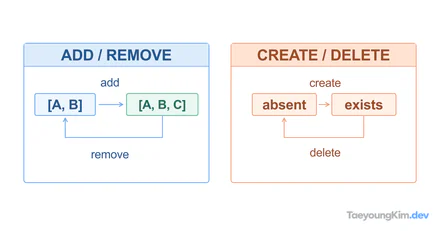
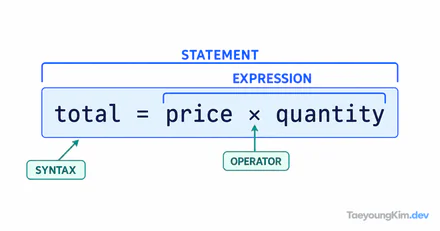
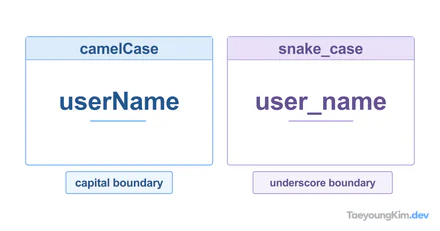
A message saying a service “stopped” does not tell you whether it can continue from the same point. pause and resume commonly describe an interruption that can be continued; stop and exit can end an operation or process. When reading a log or method name, identify which object changes state and whether that state can be resumed.
Key terms
The diagram uses start and stop for beginning and ending execution, and pause and resume for a resumable interruption. A real API may define more precise transitions.
| Term | Meaning |
|---|---|
start / stop | Begin or stop an operation. Whether stop permits a later restart depends on the system. |
begin / end | Mark the start or end of a process, range, or operation. |
set / unset | Assign a setting or remove it. |
lock / unlock | Acquire or release a lock, or restrict and restore access. |
attach / detach | Connect or separate a component, resource, or association. |
suspend / resume | Suspend an operation and continue it later, subject to the system's lifecycle rules. |
enable / disable | Allow or prevent a feature or option from being used. |
activate / deactivate | Put a component into or out of an active state. |
show / hide | Display or conceal something. |
Terms to distinguish
| Term | Meaning |
|---|---|
visible / invisible | Able or unable to be seen; visibility does not necessarily imply usability. |
valid / invalid | Meets or fails a stated rule, format, or condition. |
available / unavailable | Can or cannot currently be used or reached. |
allow / deny | Grant or refuse permission for an action. |
host / guest | A host provides or receives another participant in a given system; a guest is hosted. The exact role depends on context. |
server / client | A server provides a service; a client requests or uses it. |
provider / user | A provider supplies a service or resource; a user consumes it. |
resume / pause | Continue a paused activity or temporarily halt it. |
config / setting / preference | Configuration, an individual setting, and a user or system preference. Products may use these labels differently. |
Terms in code
| Term | Meaning |
|---|---|
initialize / init / setup | Prepare an object or system for use; init abbreviates initialize, while setup often covers broader preparation. |
stop / end / finish | Stop execution, mark an endpoint, or complete an operation. Restart behavior is not guaranteed by the word alone. |
stop / suspend / pause | Stop halts an operation; suspend and pause often preserve enough state to continue. Check the API's lifecycle. |
stop / quit / exit | Stop an operation, choose to quit an application, or leave a process or context. The precise effect is system-specific. |
changed / modified / revised | All indicate alteration. modified often means edited; revised often means reconsidered or updated. None guarantees how large the change was. |
state / status | state often describes an object's internal condition; status often reports progress or an outcome. Follow the domain and API vocabulary. |
individual / personal / private | individual distinguishes one person or item; personal relates to a person; private contrasts with public access or ownership. |
Reading a technical document
A stopped service, a paused task, and an exited process require different next steps. Check what can be resumed and what must be started again.
Locate the subject, action, and resulting state first. Similar words do not promise identical transitions across APIs, so check the lifecycle documentation before automating a restart.
Key takeaways
Separate the current state from the command that changes it.
- start / stop — Begin or halt an operation; restart semantics are system-specific.
- allow / deny — Permit or refuse an action.
- individual / personal / private — Distinguish one entity, a person's association, and restricted access.