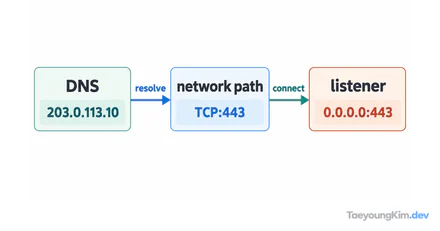
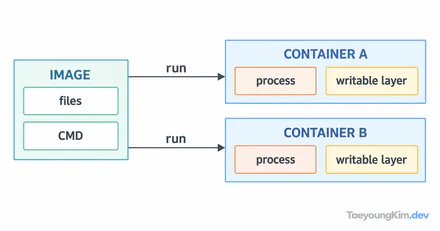
If an Nginx container is running but localhost:8080 will not open, distinguish the host port from the container port first. A server listening on port 80 inside the container is not automatically reachable on host port 8080. Publish the port with -p.
docker container run --rm --name demo-nginx -p 127.0.0.1:8080:80 nginxHere, 127.0.0.1 is the host address allowed to receive connections, 8080 is the host port, and 80 is the container port where Nginx listens. In another terminal, check for an HTTP response with curl -I http://127.0.0.1:8080. Pressing Ctrl+C in the running terminal stops the container; --rm then removes it. If a container already has that name or host port 8080 is in use, resolve that conflict first.
Check the application's listening address too
The example request passes from host port 8080 through the -p 8080:80 mapping to Nginx on container port 80. The published host port and the application's listening port can differ.
If the connection fails, check these boundaries in order instead of changing the firewall immediately:
docker container ls
docker container port demo-nginx
curl -I http://127.0.0.1:8080
If the container is absent from the list, its server process may have stopped or failed to start. If it is running but container port shows something unexpected, revisit -p. Even with the right mapping, a connection fails if the application is not listening on the container port. For your own application, also check that it is not bound only to the container's loopback address. The nginx image in this example listens on container port 80.
Expose only the ports you need
Omitting the address in -p 8080:80 may publish the port on all host interfaces by default. For a local check, specify 127.0.0.1 as above. On older Docker versions, however, other hosts on the same network segment could sometimes reach ports bound to localhost; check your Docker version and network policy. See the Docker port-publishing documentation for that boundary. Do not expose database or administration ports merely for convenience; publish only the entry points you need.
Key takeaways
Docker port mapping connects host port 8080 to container port 80. Narrow a connection failure down through container status, port mapping, and application listening, in that order. Specify the host address for local checks and decide separately which ports production should expose.