You publish a WordPress post, refresh the page, and it disappears. Refresh again and it returns. If Auto Scaling recently brought the service to two EC2 instances, the request may be reaching servers that read different databases.
Why can a post appear and disappear after Auto Scaling?
An Auto Scaling group adjusts the number of EC2 instances. An Application Load Balancer (ALB) sends requests to registered targets. That determines which server handles a request; it does not copy newly written posts between databases on different servers.
The diagram shows two local databases. If only instance A has post ID 7, A can return it while B cannot. ALB does not synchronize their data.
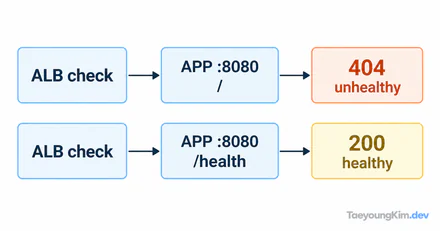
Imagine WordPress and MySQL installed separately on EC2 A and EC2 B. Writing post ID 7 through A puts it in A's database, not B's. A subsequent request routed to A finds it; one routed to B may not. Both instances can still be healthy: an ALB health check evaluates the configured endpoint, not whether two databases contain identical posts.
An AMI can start servers from the same initial configuration, but that does not replicate data changed independently after launch. Rebuilding the image repeatedly will not solve ongoing divergence in new posts.
Which EC2 database contains the post?
First confirm that the ALB target group contains more than one WordPress instance and that each can receive traffic. Then inspect the database host each WordPress instance uses. If A points to its own local MySQL and B points to a different local MySQL, they are separate stores. Do not print passwords or full connection strings while checking configuration.
A read-only query for the same post can make the difference clear. WordPress table prefixes vary, so replace wp_posts with the actual table name:
SELECT ID, post_title
FROM wp_posts
WHERE ID = 7;| Query location | Post ID 7 |
|---|---|
| EC2 A's local database | Deployment check |
| EC2 B's local database | Absent |
These are illustrative results, not output from an actual AWS account. Different results suggest that the app alternates between separate databases, rather than ALB deleting a post. If both servers already use the same database, investigate caching or another storage location instead.
What does a shared database solve, and what remains?
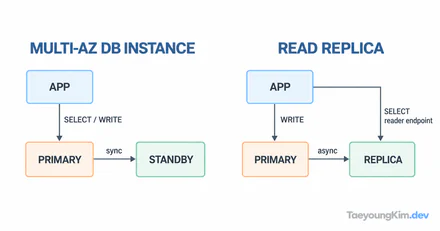
Pointing both WordPress instances at one external MySQL database lets either server read the same post data. Amazon RDS is one possible service; the essential property is that both app instances use the same store.
If two local databases already exist, changing the connection address alone is insufficient. Decide which records to migrate, back them up, coordinate writes during the switch, and verify the new database. If both servers accepted different posts, resolve conflicts before copying data over either side. This migration matters more in production than the simplified diagram.
A shared database unifies post data, but it does not automatically share uploaded files stored only on an EC2 disk or sessions kept in each server's memory. If the post appears but an attachment is missing on one server, inspect that storage boundary separately.
Key takeaways
Auto Scaling adjusts server count, and ALB distributes requests. Neither synchronizes local MySQL databases across EC2 instances. If a post changes between refreshes, compare each instance's database connection and the result of the same read-only query. A shared database migration must also handle conflicting existing data and state outside the database, such as uploads.