EC2 says the instance is “running,” but the ALB target group marks that same instance unhealthy. Those statuses answer different questions. EC2 reports whether the instance is running; an ALB health check asks whether a configured port and path return an expected response.
Why can a running instance be unhealthy to an ALB?
An ALB listener accepts client requests, listener rules forward them to a target group, and the target group checks registered targets on a configured port and path. Seeing HTTP:80 in several places does not mean they are the same setting: listener port, target port, and health-check port can differ.
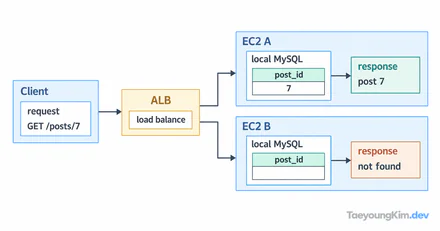
The diagram keeps the port constant at 8080 but changes the health-check path. The instance can be running while / returns 404 and /health returns 200.
For example, an app listens on port 8080 and answers /health with 200. If the target group checks /, it may receive 404. A correct port cannot repair a wrong path. Conversely, a 200 at /health on the instance does not help if the target group checks a port where the app is not listening.
Reproduce a 404 on the wrong check path
This local server exposes its simple health response only at /health:
import { createServer } from "node:http";

createServer((request, response) => {
  if (request.url === "/health") {
    response.writeHead(200);
    response.end("ok");
    return;
  }
  response.writeHead(404);
  response.end("not found");
}).listen(8080);
Run it with node health.mjs, then check both paths from another terminal:
curl -s -o /dev/null -w '%{http_code}\n' http://127.0.0.1:8080/
# 404
curl -s -o /dev/null -w '%{http_code}\n' http://127.0.0.1:8080/health
# 200
This reproduces an HTTP path mismatch locally, not AWS target registration, security groups, or a real ALB connection. It isolates one possible reason a health check can disagree with the instance's running status.
Which target-group settings should you check first?
Open the target group's Targets view and read both status and reason code. initial means registration or initial checks are underway; unused points toward registration, listener use, or Availability Zone conditions. Do not treat both as the same unhealthy case.
For an unhealthy target, narrow down the request:
- Target port: Is the registered target port where the app actually listens? A listener on 80 can forward to an app on 8080 when routing is configured accordingly.
- Health-check path: Does
/redirect or return 404 while/healthreports readiness? - Success codes: Does the returned status fall within the configured matcher? For HTTP/1.1 and HTTP/2 checks, the default success code is
200. - Connectivity: If there is no response, inspect the app process, target port, security groups, and network path. A local
curlsuccess does not prove the ALB can connect.
AWS labels an unexpected HTTP status Target.ResponseCodeMismatch and a timed-out request Target.Timeout. Compare the reason with the ALB target health-check settings and reason codes. “A response arrived” and “the expected response arrived” are different observations.
Does healthy prove the whole service works?
A 200 at /health does not automatically test database access or every application operation. Define what the endpoint promises and monitor deeper functions separately. Avoid making every frequent health check run an expensive database query merely to appear thorough.
If all registered targets in a group are unhealthy, an ALB can fail open and route requests to them anyway. Do not assume an unhealthy label is a reliable traffic-blocking control.
Key takeaways
EC2 “running” and ALB “healthy” describe different checks. Read the target status and reason code, then compare the app's actual port, health-check path, and expected HTTP status for one request. For an app where / is 404 and /health is 200, check the configured path before restarting the instance.